The boil
Wobble that follows the edges in the frame, from a faint shimmer to a full tremor. Hold it for two frames or six.
Boiler gives video the restless, redrawn edge of hand-drawn animation. Drop a clip in, move a few sliders, save it out.
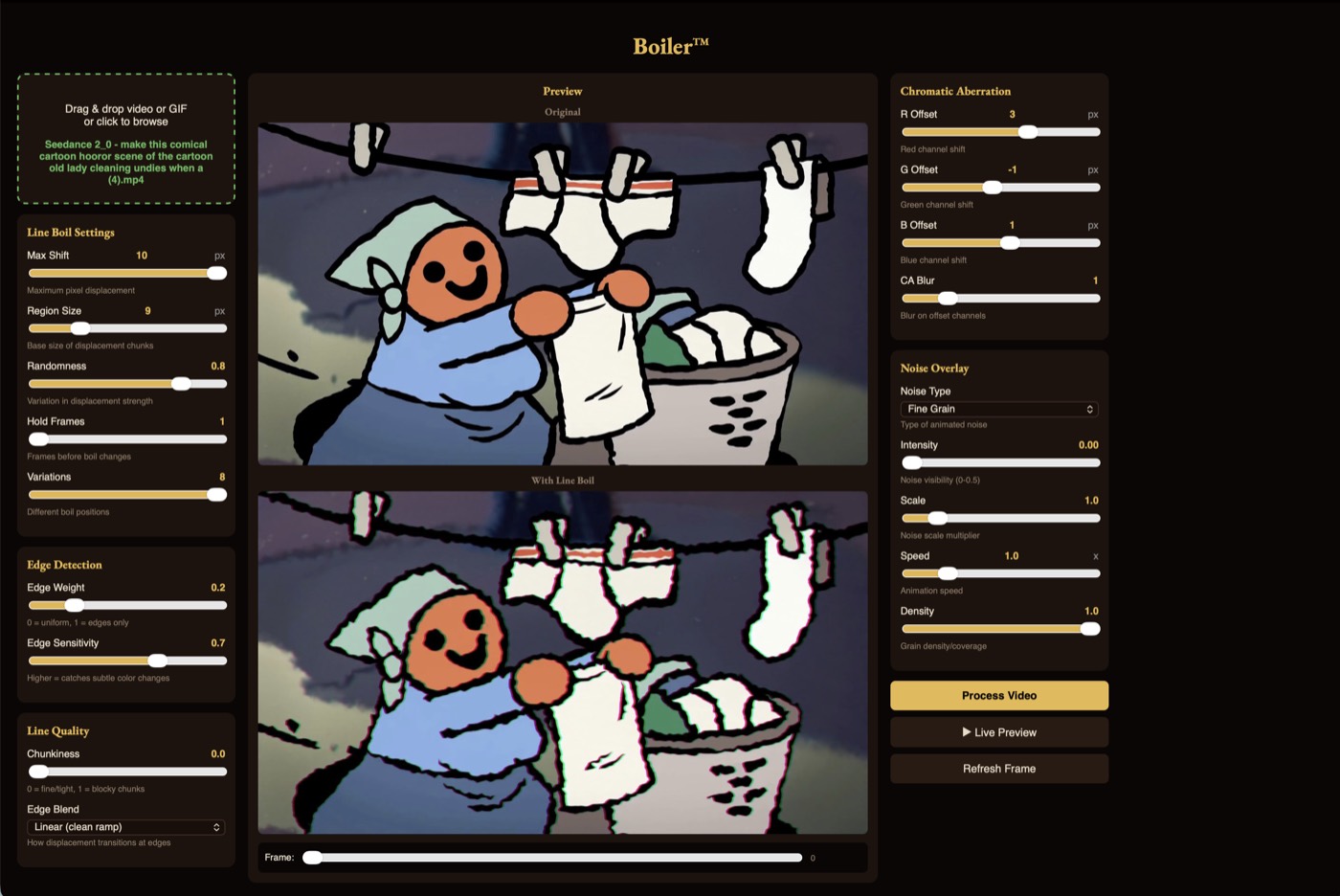
Same footage, one pass through Boiler. The edges are redrawn a few pixels off on every held frame, the way a hand redraws them.
Drag to compare
Wobble that follows the edges in the frame, from a faint shimmer to a full tremor. Hold it for two frames or six.
Pull the red and blue channels apart for old film and worn tape.
Fine grain, coarse grain, TV static, Perlin, scanlines. Layer it over the boil.
Scrub a frame or play the loop while you work. No waiting on a render to see a slider.
MP4, MOV, and animated GIF go in. MP4 comes out, audio intact.
No Python, no Terminal, no Homebrew. ffmpeg ships inside the app. Your video never leaves the machine.
Drop a video in. The original sits on top, the boiled version below it.
Move the sliders. Shift sets how far edges wander. Hold sets how long each drawing stays up. Everything updates in the preview.
Process, then save. Pick the folder, and the file lands there.
Line boil is the constant shimmer along the outlines in hand-drawn animation, caused by an artist redrawing every frame slightly differently so no line ever lands in exactly the same place twice. Boiler puts that wander back into footage that never had it.
Download Boiler 1.0.0 free for Mac. Open the DMG and drag Boiler into Applications. The app is signed and notarized by Apple. The source repository is private.
Boiler 1.0.0 requires macOS 12 or later on Apple Silicon (M1 or newer). This download does not support Intel Macs, Windows, or Linux.
MP4, MOV, and animated GIF go in. An MP4 comes out, H.264, with the original audio.
No. Video is processed on your own Mac, with ffmpeg bundled in the app. The interface may request a Google Font; it does not upload your video.
Roughly a second per frame, so a thirty second clip is a few minutes. Check settings on a single frame in the preview before committing to a full pass.
Thirteen guides go deeper: what line boil is, how to apply it, what every setting does, making generated video look hand-drawn, doing it in After Effects, film grain, and the VHS look.
Boiler came out of making a western cartoon. The same studio makes a game set in the same world.
A daily game about cutting things exactly in half by weight. Three objects a day, one attempt per object, scored on how evenly you cut. Free on iPhone.
Free. No account needed. Open the DMG and drag Boiler into Applications.
Download Boiler for MacVersion 1.0.0 · macOS 12+ · Apple Silicon (M1 or newer) · 94.75 MB. Signed and notarized.
SHA-256: 3a4c4d65e549b37db30f3dfa9929ebb941a6babc3f4730ef1754f26ac51e45df